
Sometimes, you might want to protect a property in your Umbraco backoffice from getting edited by those who don't know what they're doing. For example, you have a multi-site environment where each homepage uses the same document type but with a dropdown to set which theme is to be used for that homepage. You probably don't want a writer to be able to change the theme of this website, so you'll want to hide this property or make it read-only.
Umbraco 13 situation
In Umbraco 13 we used the Admin Only Property package to achieve this goal. Using this package, we had a data type where we select that only Admins can see the property.
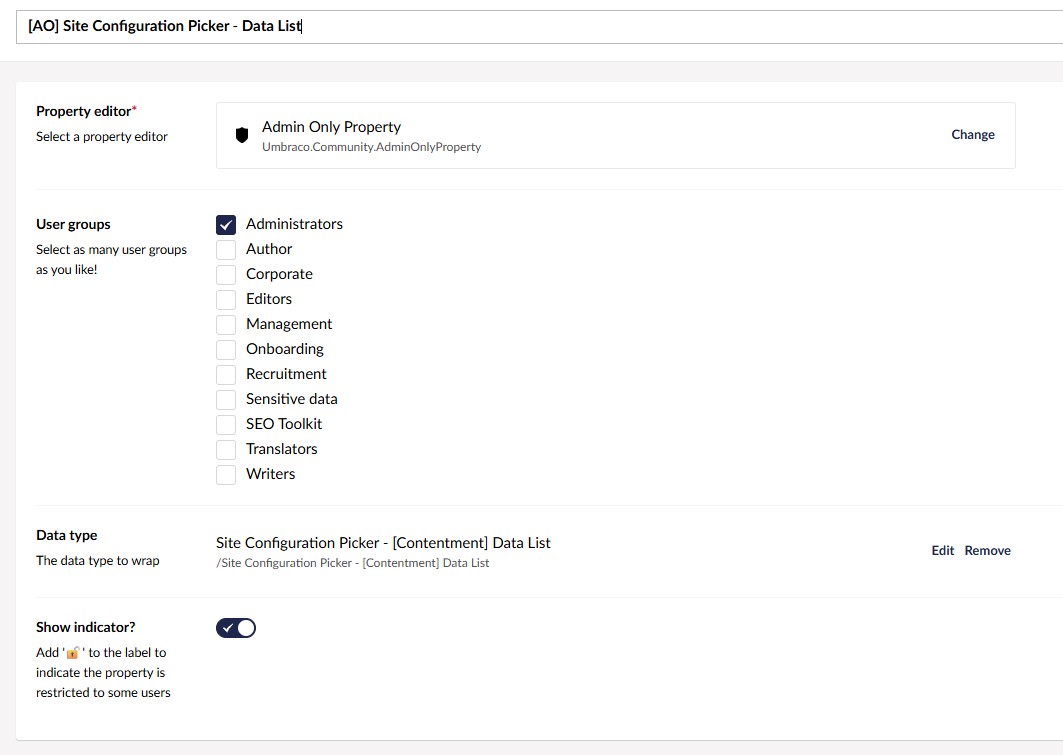
The property would then only be visible when logged in as an Administrator.
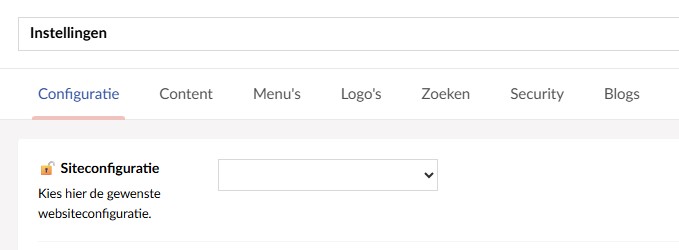
But, since Umbraco 17 removed the SendingContentNotification, the extension no longer worked and we had to look for a new way to solve this issue.
Granular Permissions
While looking through the new Umbraco 17 release notes we noticed the addition of granular permissions:
Workflow 17 adds comprehensive permissions for all features, allowing you full control over which user groups can access which features. To best facilitate this change, Workflow’s settings have been relocated to the backoffice Settings section. This move also means you can grant users access to the Workflow section, without also giving them access to system-level settings.
We checked the backoffice and found that under Users > Usergroups > User group detail there is a new section called "Document Property Value permissions", where you can block read or write rights for a whole user group.
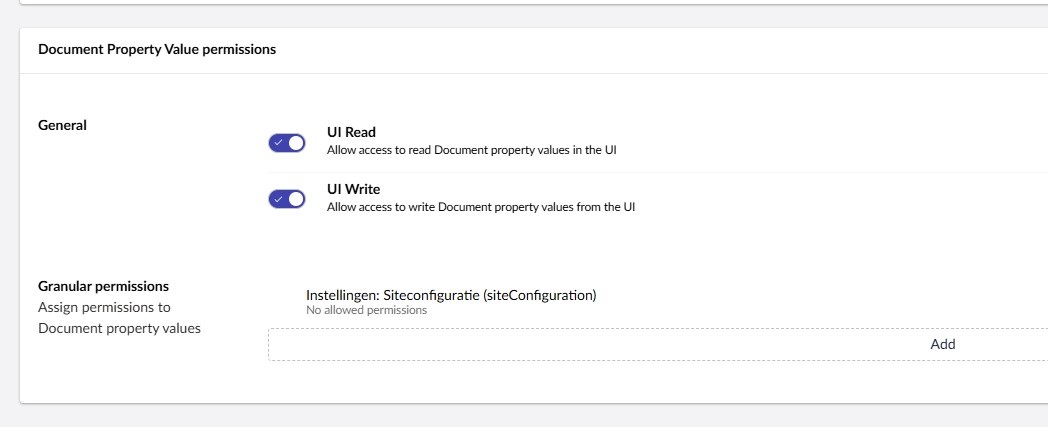
But, more interestingly, you can also add granular permissions here. These granular permissions allow you to first select a document type and then a property and set permissions specifically for this property.
This option does the same thing as the Admin Only Property we used to use, just in reverse. Whereas before we said "this property can be seen by this group", we now set "this property can not be seen by this group."
And while this technically works, we don't want to manually set the permissions for each property on each usergroup, when it's often the same property we want to block for the same user groups on multiple installations of ours.
So, we decided to look into adding the permissions programmatically, hoping we can later wrap it into a package to use on all our websites.
Programmatic Granular Permissions
We ended up solving the issue through the use of an UmbracoApplicationStartedNotificationHandler and permission configuration we set on startup.
The composer method looks like this:
private static void ConfigureGranularPermissions(IUmbracoBuilder builder)
{
    const string readPermission = "Umb.Document.PropertyValue.Read";
    const string nonePermission = "";

    var siteConfigurationNone = new GranularPermissionConfig()
    {
        DocumentAlias = Settings.ModelTypeAlias,
        PropertyAlias = PublishedModelHelper.GetModelPropertyAlias((Settings x) => x.SiteConfiguration),
        Permission = nonePermission
    };

    var siteConfigurationRead = new GranularPermissionConfig()
    {
        DocumentAlias = Settings.ModelTypeAlias,
        PropertyAlias = PublishedModelHelper.GetModelPropertyAlias((Settings x) => x.SiteConfiguration),
        Permission = readPermission
    };

    builder.AddGranularPermissions(options =>
    {
        // Editor group - no permission
        options.UserGroups.Add(new UserGroupPermissionConfig
        {
            UserGroupAlias = DnsConstants.Security.EditorGroupAlias,
            GranularPermissions =
            [
                siteConfigurationNone
            ]
        });

        // Management group - read permission
        options.UserGroups.Add(new UserGroupPermissionConfig
        {
            UserGroupAlias = DnsConstants.Security.ManagementGroupAlias,
            GranularPermissions =
            [
                siteConfigurationRead
            ]
        });

        // Writer group - no permission
        options.UserGroups.Add(new UserGroupPermissionConfig
        {
            UserGroupAlias = DnsConstants.Security.WriterGroupAlias,
            GranularPermissions =
            [
                siteConfigurationNone
            ]
        });
    });
}
What we say here is that the SiteConfiguration property on the Settings document type should be readable by the Management group, non-readable by the Editors and editable by the Admins.
Because these permissions work by exclusion, we don't need to define a rule for the Admin group. If we had other relevant usergroups, we'd need to add them to the UserGroups list.
UmbracoApplicationStartedNotificationHandler
Next, we added a method in a UmbracoApplicationStartedNotificationHandler which would loop through the UserGroups list and add the permissions to the database.
foreach (var userGroupConfig in config.UserGroups)
{
    var userGroup = await groupService.GetAsync(userGroupConfig.UserGroupAlias);
    if (userGroup is null)
    {
        continue;
    }

    var contentTypes = contentTypeService.GetAll().ToArray();

    foreach (var permission in userGroupConfig.GranularPermissions)
    {
        var documentType = contentTypes
            .FirstOrDefault(x => x.Alias == permission.DocumentAlias);

        if (documentType is null)
        {
            continue;
        }

        var propertyTypeKey = documentType.PropertyTypes
            .FirstOrDefault(p => p.Alias == permission.PropertyAlias)?.Key;

        if (propertyTypeKey is null || propertyTypeKey == Guid.Empty)
        {
            continue;
        }

        var permissionValue = $"{propertyTypeKey}|{permission.Permission}";

        var newPermission = new DocumentPropertyValueGranularPermission
        {
            Key = documentType.Key,
            Permission = permissionValue
        };

        // Skip if permission already exists
        if (userGroup.GranularPermissions.OfType<DocumentPropertyValueGranularPermission>()
            .Any(p => p.Key == newPermission.Key && p.Permission == newPermission.Permission))
        {
            continue;
        }

        userGroup.GranularPermissions.Add(newPermission);
    }

    // Save the user group with all new permissions
    await groupService.UpdateAsync(userGroup, responsibleUserKey);
}
This way, each time the application starts, it checks if any permissions need to be added and does the required modifications. If we want to add the granular permissions to a new user group we made, or if we want to add permissions for a new property, we will only need to edit the configuration and Umbraco will take care of the rest.
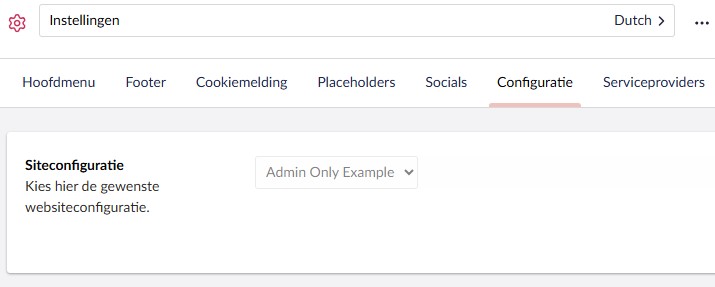
If we add "Read only" rights to a user group, they'll see the property greyed out. If we add no permissions, the property will be hidden entirely like it used to be in the Admin Only property.
Considering this functionally hasn't been documented very well yet, I hope this helps someone else who's looking for a similar solution.