
Umbreasy installs and runs Umbraco without a terminal. Here is why it exists, who it is for, and how much yak-shaving was involved.
It started with a designer, cursing
I have a friend I think of as my designer Yoda. Genuinely brilliant. The kind of person who looks at a layout you have been staring at for three hours, tilts his head, moves one thing four pixels, and makes you question your career.
He wanted to test an Umbraco package. That was the whole ambition. A package existed, he was curious about it, and he wanted to see it running.
So I sat next to him and watched him try. At some point, try started rhyming with cry.
I will not reproduce what he said. It was in Danish, it was theologically detailed, and I was sitting close enough to feel implicated. The shape of it was: why is this so hard? Not the package. The part before the package. Install the SDK, wrong version, install the other SDK, dotnet new install, template not found, dotnet new umbraco -n, wait, what is a connection string, why is it asking me for a password, which port, why is that port taken, no I do not want to trust the dev certificate, actually yes I do, but why are you asking me this, and so on, for a while, until the enthusiasm that made him want to try the package had quietly left the room.
He got there in the end. He always does. By the time Umbraco was running, he had forgotten what he wanted to look at.
None of that was Umbraco being bad, which is the part I keep coming back to. Every one of those steps is reasonable and documented. If you write .NET for a living you do not even see them. They are the background hum of the job, like knowing where the light switches are in your own house.
He does not write .NET. He designs. He was standing in someone else's house, in the dark, feeling along the wall.
The slightly embarrassing part
The reasonable response would have been to write him a good guide. Maybe a shell script. Fifteen lines, a nice echo or two, done in an evening.
Instead I built a desktop app.
I want to be honest about that, because it is the most accurate thing I can tell you about where Umbreasy came from. I built an Electron app with a Vue frontend, a SQLite database, a design system, a package browser, an auto-updater, a test suite, three platform builds and a menu bar icon, so that a man I could have helped over the phone would not have to type one command.
In my defence, I was not building it only for him. I was building it for the next him, and there are a lot of them.
So what is it?
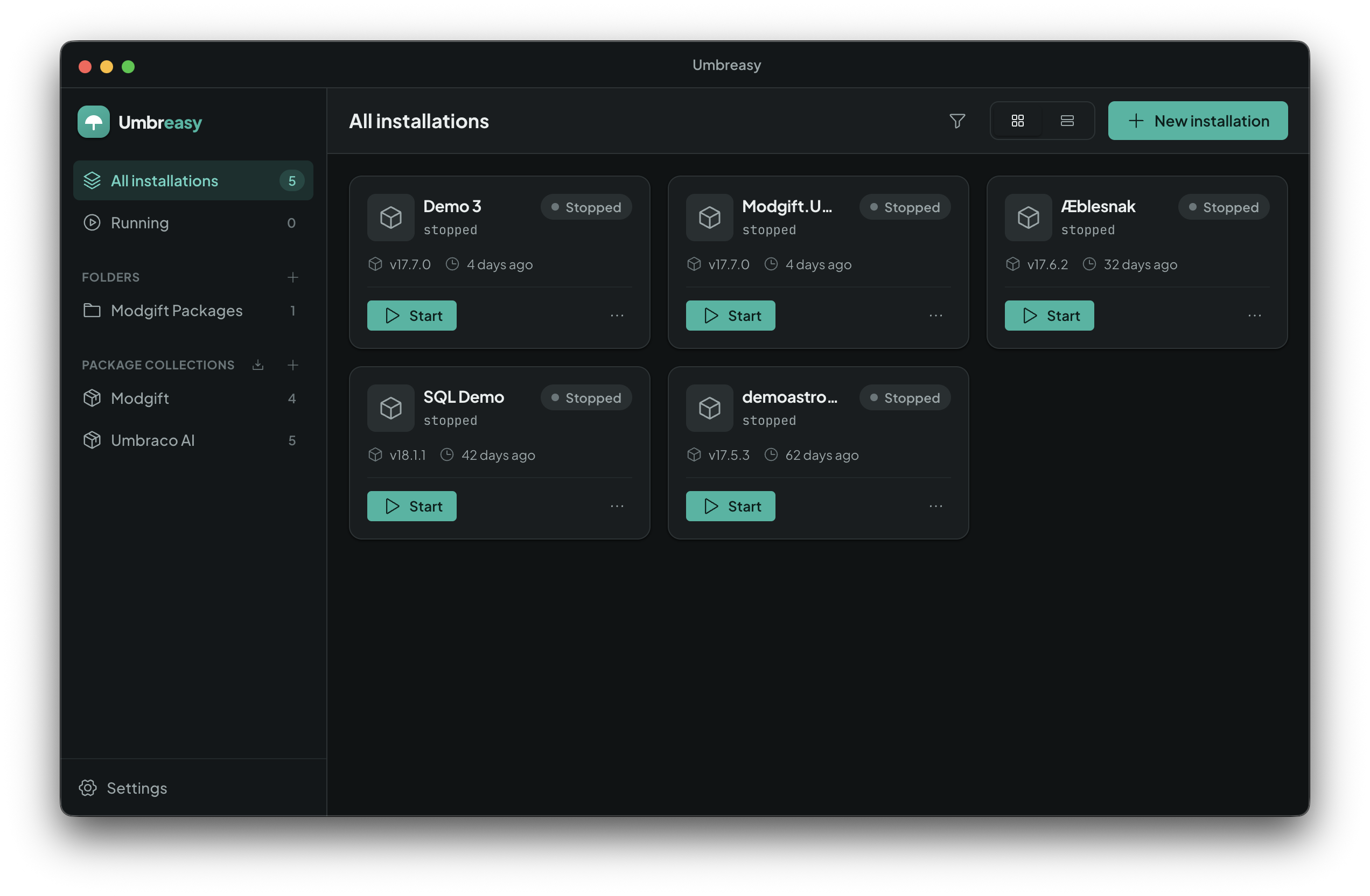
Umbreasy is a desktop app for macOS, Windows and Linux that creates and manages local Umbraco installations. You never open a terminal.
Pick a version, name the site, click install. Umbreasy does the dotnet scaffolding, sorts out the database configuration and the first boot, assigns a port that is not already in use, and gives you a start and stop button.
That is the entire pitch. Nothing about it is clever, and that is deliberate.
The two-minute version
Click "New installation" and you get a form: a name, a version, a location on disk. That is the required part.
The version list is fetched live, so it is the current set rather than something I hardcoded in June and forgot about. If you have no opinion, it defaults to the current LTS, which is the right opinion for most people most of the time.
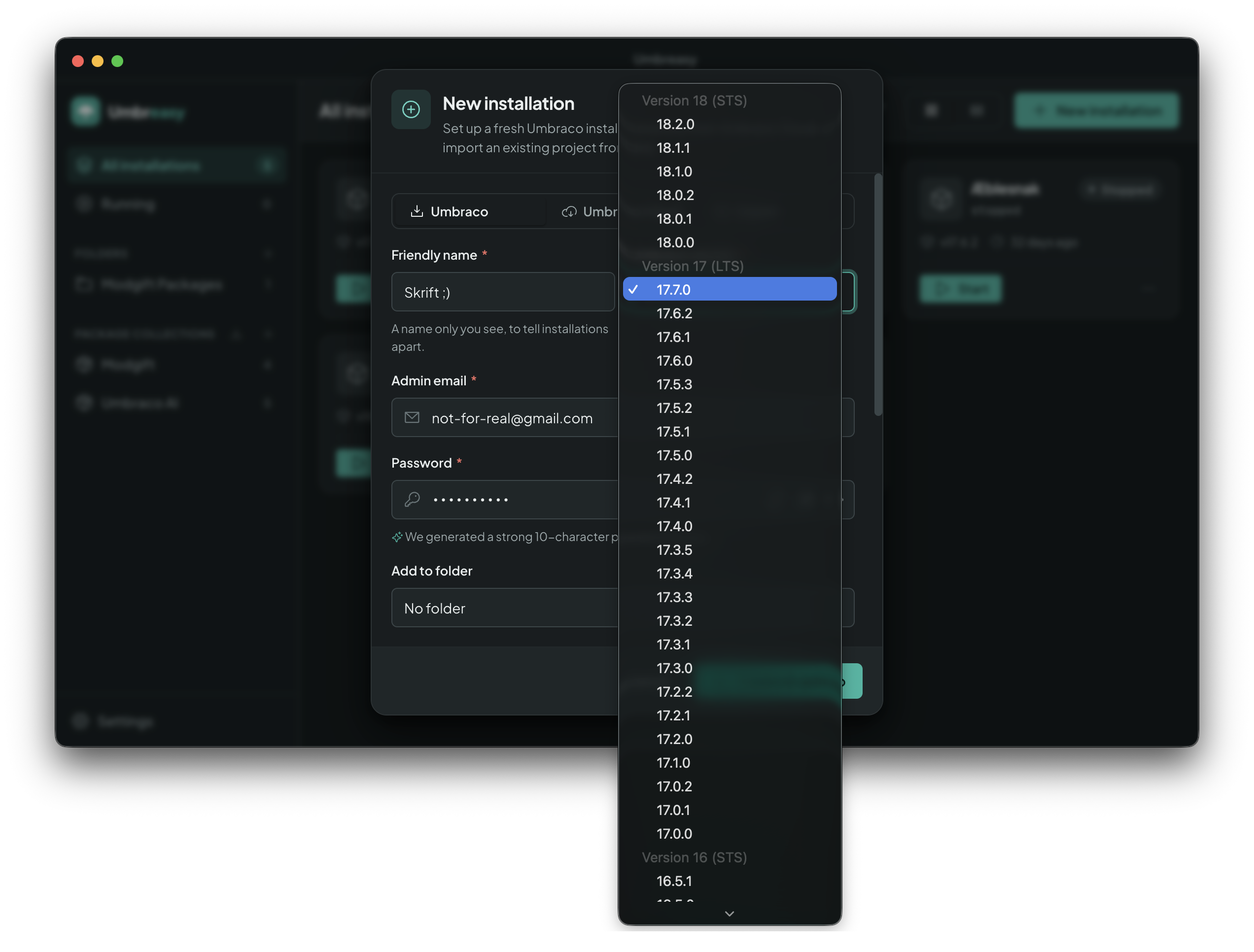
Then you click install. Umbreasy runs the scaffolding, sets up the database and the admin user, and boots the site once so the install actually completes. You get a progress state instead of a wall of build output. When something fails, the error is right there and expandable, so it is available when you want it and folded away when you do not.
Then you click start, and it runs. Umbreasy assigns the port itself, scanning upward from 44300 until it finds one nothing else is using, and hands that to the site at launch. It picks again every time you start, so your installs never end up in the usual squabble over port 5001.
If the .NET SDK is missing, Umbreasy says so up front, in a sentence a human wrote, rather than letting you discover it through a stack trace nine steps later. Same with Git, which some flows need.
The unglamorous version of all this: everything that used to be a decision you had to be qualified to make is now a default you can override.
Who it is for
Frontenders, designers and backoffice builders
Your job might be templates and CSS. It might be Razor and components. It might be document types, compositions and the general shape of the backoffice that editors will live in every day. What all of that has in common is that you need Umbraco running, and you do not need to understand how it got installed. Those are two different requirements, and the tooling has mostly served the second one.
Learning what a runtime is should not be a prerequisite for looking at a CMS, and picking a version should not require knowing what an LTS is. You should get from "I want to see this" to "I am seeing this" without acquiring a new professional specialism on the way.
Umbreasy tries to make Umbraco something you can use rather than something you have to administer.
Agency developers with eleven local installs
The second group is the opposite of the first: extremely qualified and extremely tired.
You know the state. Somewhere on your machine there are eleven Umbraco installations. Four belong to clients you no longer have. Two are called test2. One is running right now, in a terminal tab you closed, holding a port hostage, and you will find it in about forty minutes.
Umbreasy gives you that as a list: every install, its version, its port, whether it is running, with a start and stop button on each. You can group them into folders so client work looks like client work instead of sediment, and there is search in the top bar for when the list gets long, which it will.
The part that converts sceptics is import. Point Umbreasy at an Umbraco project you already have on disk and it detects it and adopts it. You do not have to start over to get the benefit. Your archaeology becomes a list.
And package testing, which is where this started
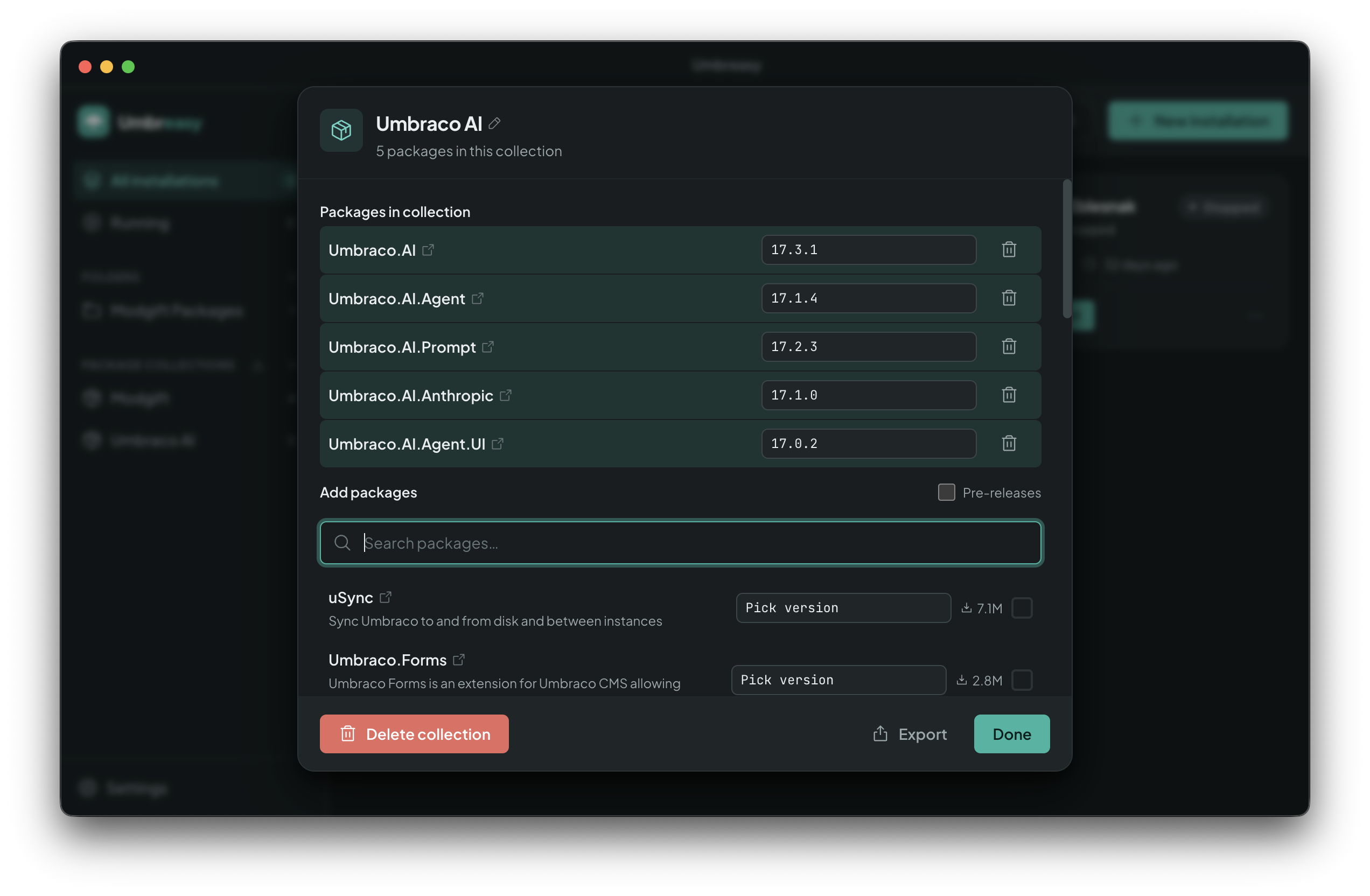
There is a package browser built in. You search the Umbraco Marketplace and install or remove packages in bulk without going near a .csproj or a NuGet command. Packages you already have installed locally show up too, so you can see what is actually in a site instead of inferring it.
You can also save a set of packages you always install together and apply it to a new site in one go. If you have a personal "these seven things, always" list, that is what collections are for.
So my friend's original use case, "I just want to see what this package does", is now: new install, pick a version, add the package, start it, look at it. A couple of minutes, and no cursing. Or at least none aimed at me.
Who it is not for
If you love your terminal, Umbreasy has nothing to offer you. You are already faster than it, and I am not going to pretend you are missing out.
If you need CI pipelines, complex multi-project solutions, custom build configurations or anything with the word "orchestration" in it, this is not that either. Umbreasy is for local work: the machine on your desk and the site you want to look at today.
It is a free beta and I would like your bug reports
Umbreasy is in beta and free to download at https://umbreasy.com/, built by Modgift.
It is a beta in the honest sense. It works, I use it every day, and you will find things I have not. When you do, tell me, especially if you are a frontender, a designer or someone who spends their days in the backoffice, because you are who I am building it for and you are most likely to hit the sharp edge I have stopped being able to see.
My designer Yoda has it installed now. He has not sworn at an Umbraco install in months. He has found other things to swear about, obviously. He is a designer. That is a different article.